RSSI Receiver Setup
RSSI (Received Signal Strength Indicator) monitors the signal strength from the transmitter to the receiver. SparkNavi Blue supports two RSSI input methods:
- Via any S.BUS channel (recommended — simplest wiring)
- Direct RSSI Out pin to flight controller's RSSI IN Pin (IOMCU_SBUS_INPUT, IOMCU PB11)
Mission Planner Parameters
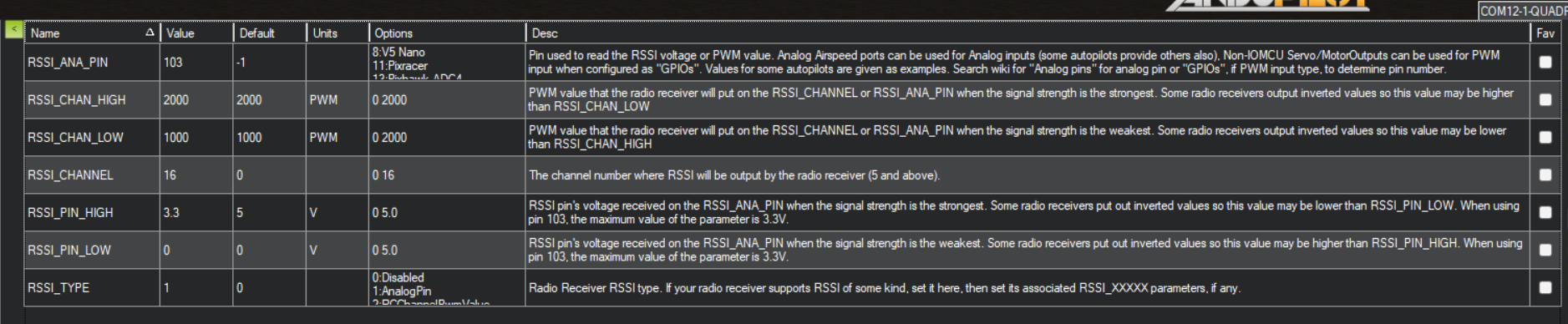
In Mission Planner Config → Full Parameter List:
| Parameter | Value | Description |
|---|---|---|
RSSI_TYPE |
1 |
Set to AnalogPin type |
RSSI_ANA_PIN |
103 |
Maps to SparkNavi Blue's RSSI analog pin |
RSSI_CHANNEL |
16 |
Transmit RSSI via S.BUS channel 16 |
RSSI_PIN_HIGH |
3.3 |
Maximum voltage at full signal (SparkNavi Blue uses 3.3 V logic) |
Hardware Wiring
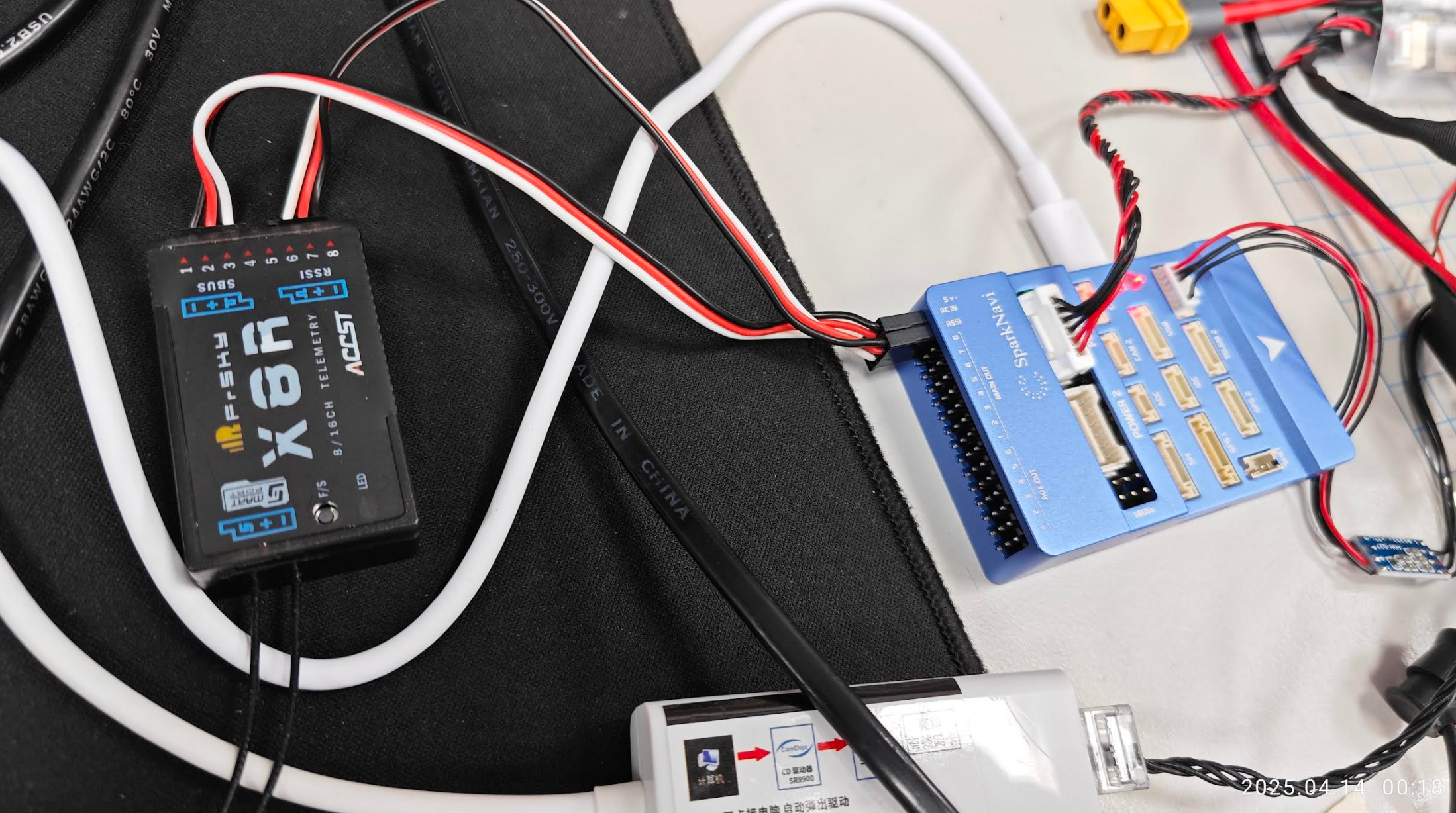
Using a FrSky X8R receiver as example: connect its RSSI pin to the SparkNavi Blue's RSSI Pin.
Transmitter Setup (Taranis Example)
1. Add RSSI Input
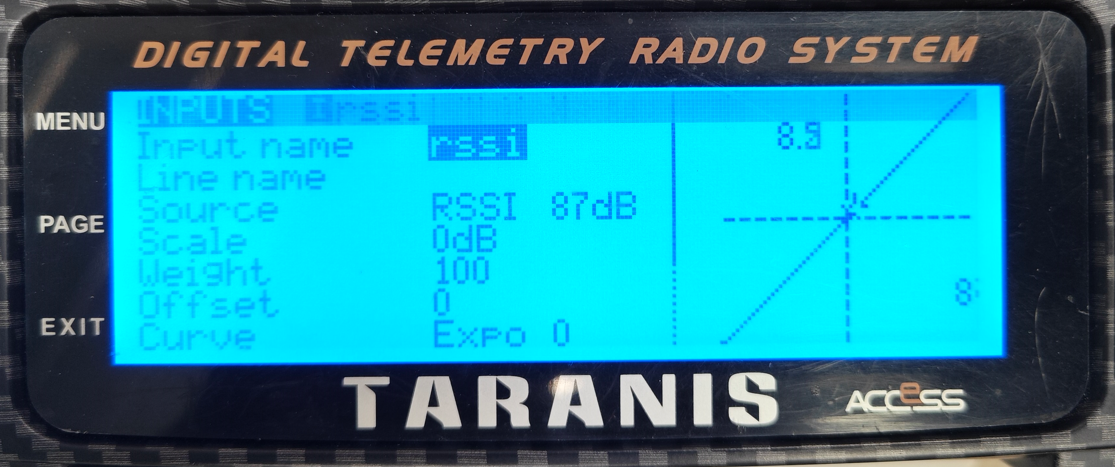
In the INPUTS page, add an rssi channel with Source = RSSI, Scale = 0 dB.
2. Map to CH16 in MIXES
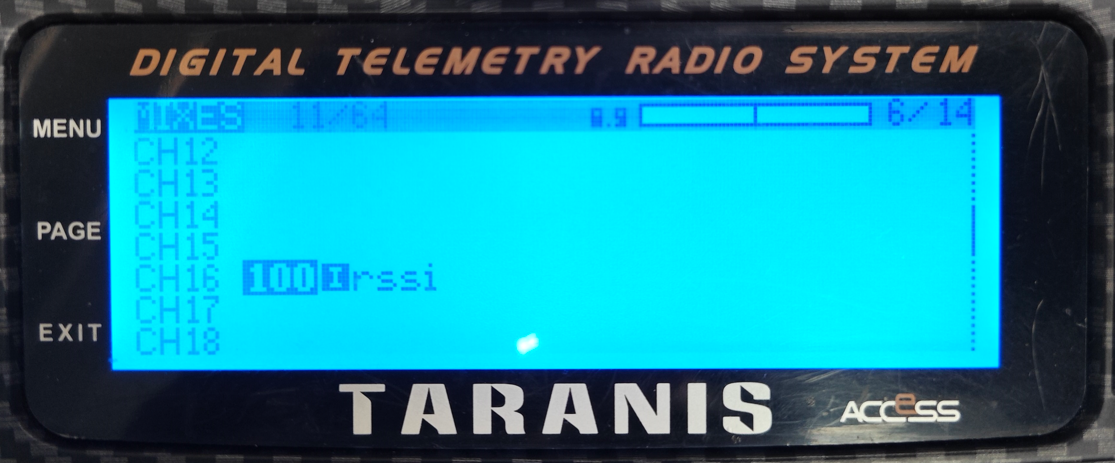
In the MIXES page, map CH16 to the rssi input you just created with Weight = 100.
This corresponds to ArduPilot's RSSI_CHANNEL = 16.
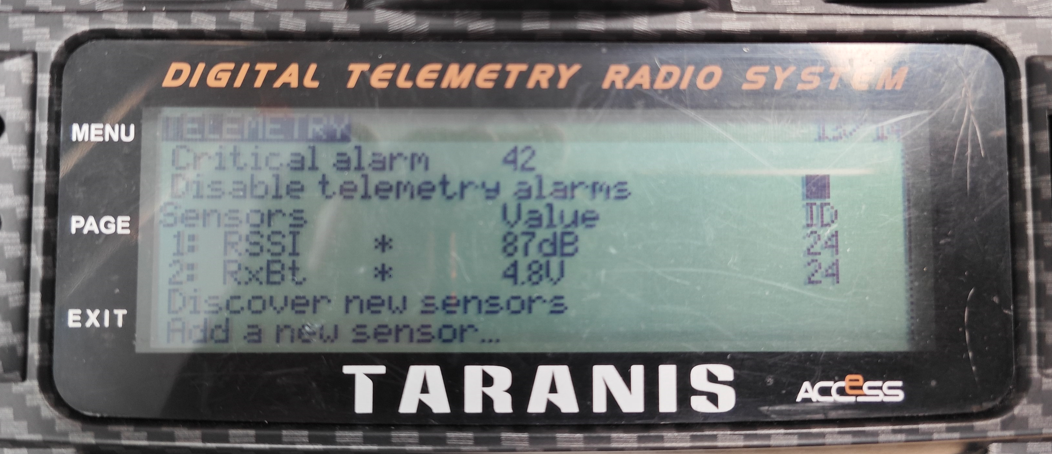
3. Verify in TELEMETRY
On the TELEMETRY page, after Discover new sensors, RSSI should appear. RxBt is the receiver voltage.
Verification
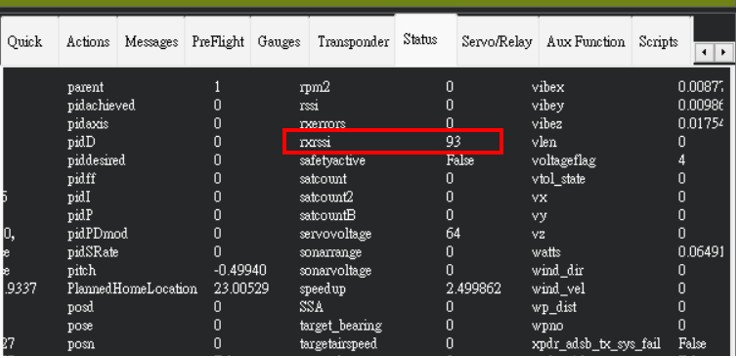
Once configured, the rxrssi value should appear live in Mission Planner's Status page or Quick tab.
Test it by physically removing the receiver antenna — the value should drop immediately. Higher = stronger signal.
FAQ
Q: rxrssi is not showing after setup?
A: Check:
1. RSSI_TYPE is set to 1
2. RSSI_CHANNEL matches the channel configured in your transmitter MIXES
3. Reboot the flight controller and re-check
Q: Why is RSSI_ANA_PIN = 103 for SparkNavi Blue?
A: 103 is the Pixhawk SBUS analog pin, which on SparkNavi Blue maps to the IOMCU PB11 pin (IOMCU_SBUS_INPUT) — that's how Blue's hwdef defines it. Other Pixhawk-class boards may use different pin numbers.