Tailsitter & SITL Simulation
For SparkNavi Blue / Blue2. Screens and parameter names may vary with the ArduPilot / Mission Planner version.
Commands in this chapter are for SITL software simulation. Tailsitters use ArduPlane / QuadPlane. No physical Blue / Blue2 is required for this simulation; do not transfer the throttle script directly to a real aircraft.
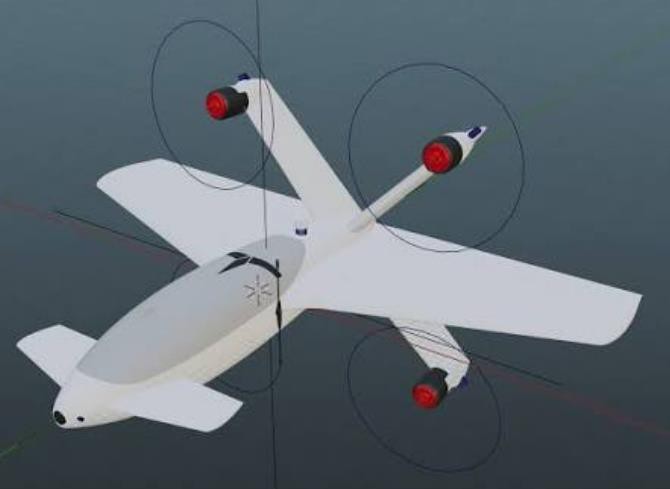
CopterMotor tailsitter example
Configuration Concepts
| Parameter | Description |
|---|---|
| Q_ENABLE | Enable QuadPlane and reboot. |
| Q_TAILSIT_ENABLE | 1: conventional tailsitter; 2: CopterMotor tailsitter without fixed-wing control surfaces. |
| Q_FRAME_CLASS / Q_FRAME_TYPE | Match actual motor count and layout. |
| Q_TAILSIT_MOTMX | Normally selects motors active in forward flight; 15 is a four-motor mask example. Ignored when Q_TAILSIT_ENABLE=2. |
| Q_TAILSIT_ANGLE / Q_TAILSIT_ANG_VT | Forward / back-transition angle thresholds; airframe- and version-dependent. |
| Q_A_RAT_* / Q_TAILSIT_INPUT | Hover rate control and input convention. |
| Q_TAILSIT_GSCMSK / Q_TAILSIT_DSKLD | Gain-scaling and disk-loading settings. |
| Q_TAILSIT_THR_VT | Back-transition throttle setting. |
Set orientation, accelerometer calibration and level trim for normal fixed-wing flight. The achievable flight attitude depends on aerodynamics and control authority, not a universal pitch-angle limit.
ArduPilot tailsitter documentation
Start the Simulation
Prepare the ArduPilot development environment, MAVProxy and dependencies. Run in the existing ardupilot source directory; the first run compiles the simulator. The manual uses Cygwin; use the appropriate official SITL setup for other environments.
cd ardupilot
git pull
git submodule update --init --recursive
./Tools/autotest/sim_vehicle.py -v ArduPlane -f quadplane-copter_tailsitter --console --map
Save any local code changes before updating. Then connect Mission Planner using UDP port 14550. An initial sky-facing HUD corresponds to the parked tailsitter orientation.
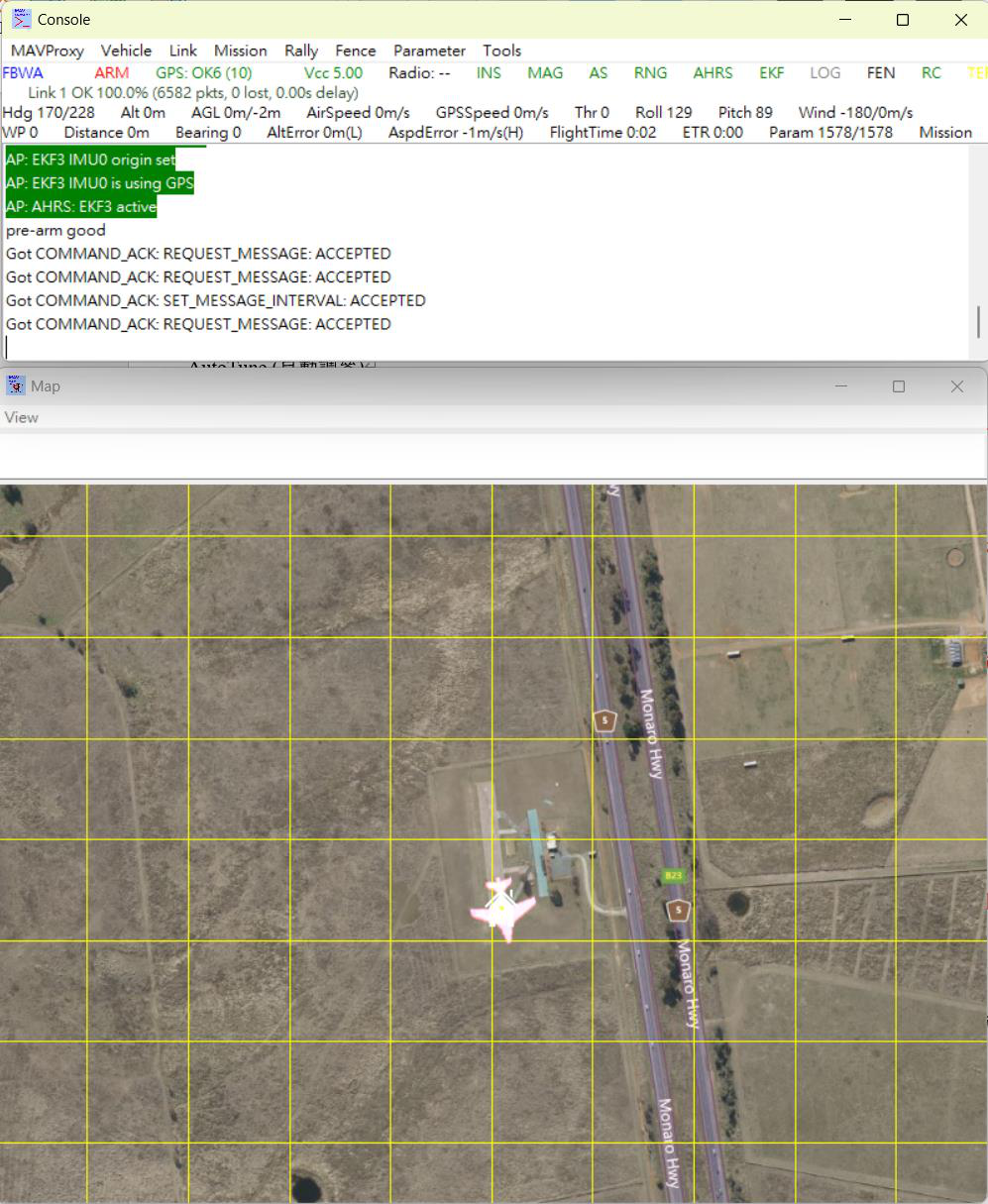
MAVProxy simulation
Simulation Flight Sequence
Enter the following commands one at a time in MAVProxy and observe the simulated response between steps. Select QLOITER before arming for vertical takeoff.
mode qloiter
arm throttle
rc 3 1700
rc 3 1500
mode fbwa
mode qloiter
| Command | Purpose |
|---|---|
| rc 3 1700 | Simulated climb |
| rc 3 1500 | Simulated centered throttle / altitude hold |
| mode fbwa | Forward transition |
| mode qloiter | Back transition / position hold |
| mode qrtl | VTOL return |
| mode qland | Vertical landing at current location |
Logs & Trajectory
Find the latest FIXED_WING log in the Mission Planner log directory; the path depends on account and configuration. Review attitude, speed, mode transitions and trajectory. Successful simulation does not validate the physical aircraft.
%USERPROFILE%\Documents\Mission Planner\logs\FIXED_WING
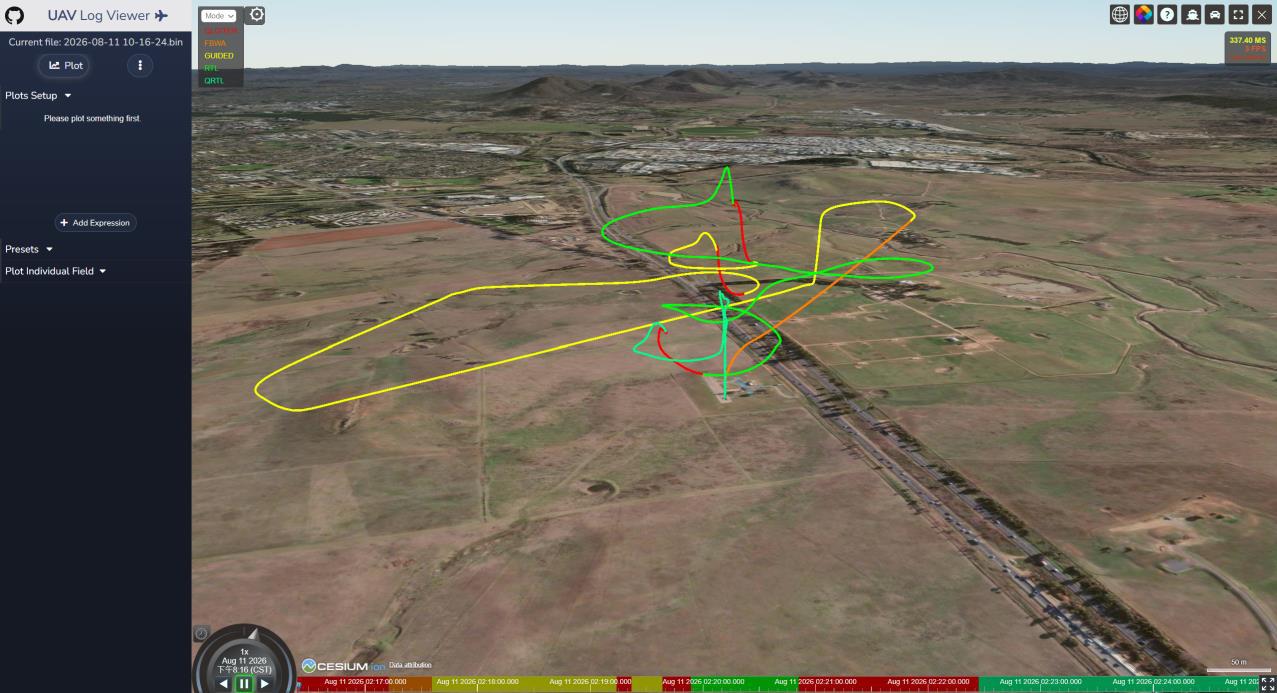
Simulation trajectory from the manual
Source Transition and Log-Viewing Notes
The source four-motor example uses Q_ENABLE=1 and Q_FRAME_CLASS=1, with FRAME_TYPE matching layout. Q_TAILSIT_ANGLE=60° is an example; Q_TAILSIT_ANG_VT=0 reuses the forward-transition angle. Check version/airframe. Vertical takeoff uses QHOVER/QLOITER, then FBWA/AUTO for forward transition, returning to Q modes.
Select QLOITER before SITL takeoff: the parked tailsitter points upward, whereas FBWA targets normal fixed-wing attitude, producing a mismatched ground-takeoff target. After simulation use UAV Log Viewer on the latest FIXED_WING log to inspect transitions and 3D track; the PDF’s “UAV Low View” is a name typo.
Source document:Mission Planner V2 · PDF pages 30–34